
 Welcome bonusUp to 1000 AUD + 100 FSfor the first deposit
 Welcome bonusUp to 1000 AUD + 100 FSfor the second deposit

WinSpirit Casino App
Setting up the WinSpirit app takes less than a minute and happens entirely inside your browser — no app store involved. What you get is a home-screen icon, a login you only enter once, and 20 free spins with no deposit attached simply for installing.
Deliberately Absent from the App Stores
You won’t find the WinSpirit Australia app on Google Play or in Apple’s App Store, and that’s by design rather than by omission. Installation runs through the browser instead — Chrome on Android and Windows, Safari on iPhone and Mac — because the app is built on PWA (Progressive Web App) technology, which lets a device handle a browser-based casino as though it were a native program. The Win Spirit app lands on your home screen, launches without a browser tab around it, and loads more quickly than an ordinary web session.

Cutting out the store also cuts out the waiting: there’s no update approval queue standing between you and the latest version. Each time the shortcut opens, it draws directly from our servers. And the account you already use at the WinSpirit online casino Australia is the very same one behind the shortcut — identical balance, identical bonuses, identical history. No migration, no reset.
What You Gain by Installing
Compared with a plain bookmark, the clearest win is screen space: the shortcut opens the casino without a browser toolbar sitting on top of it, so every millimetre belongs to the game.
Installing the WinSpirit Casino app also brings:
- Home-screen icon — the casino lines up with your other apps, right where you’d expect to find it
- Faster loading — cached assets mean the WS Casino app answers in fractions of a second instead of rebuilding each page from scratch
- One-time authorisation — sign in once and stay signed in from session to session, without retyping credentials
- Consistent experience — the same layout, promotions and account whether the shortcut opens on a phone or a desktop
- Quick access to bonuses and slots — straight from the home screen or dock into the game library, with no address bar in the way
None of it involves a download file. What gets installed is the shortcut; the content itself never leaves our servers.
Installing on Android and iPhone
Neither install takes more than a minute.
iPhone (Safari):
- Open Safari — Chrome can’t perform this install on iOS
- Head to the Win Spirit app website
- Press the Share icon at the bottom of the screen
- Pick Add to Home Screen
- Check the name and press Add
- The icon lands on your home screen
Android (Chrome):
- Launch Chrome on your device
- Head to the WinSpirit Australia app website
- Press the three-dot menu beside the address bar
- Pick Install the WinSpirit Casino App
- Press Install when the confirmation window appears
- The shortcut shows up on your home screen right away
With the shortcut in place, open it and sign in. Haven’t set up credentials yet? The WinSpirit Casino sign-in guide runs through the whole process, password recovery included. A single login does it — after that the app keeps you signed in.
Install Options by Device
The browser varies from platform to platform, but the number of steps barely changes.
| Device | Browser to Use | Key Step |
| Windows PC | Chrome | Install icon in the address bar → Install |
| iOS (iPhone / iPad) | Safari | Share icon → Add to Home Screen |
| macOS | Safari or Chrome | Install icon or Share icon → Add to Dock |
| Android | Chrome | Three-dot menu → Install the WinSpirit Casino Australia app |
On every one of these devices the WS Casino app shortcut works with nothing downloaded separately. Start a session on your phone and carry on at your desktop — it’s one account throughout.
Setting It Up on Windows or Mac
Look to the far right of Chrome’s address bar for the install icon, shaped like a small monitor with a download arrow. Open Chrome, visit our website, and it appears once the page has loaded. Click it, then click Install in the little window that follows. From there the WinSpirit app shows up as a standalone shortcut on both taskbar and desktop, and opening it produces a window free of tabs and Chrome’s toolbar — just the casino, using the full width. On Windows the WS Casino app then behaves like any other installed program: pin it, unpin it or remove it from the taskbar exactly as you would anything else.
On macOS
The install works in Safari and Chrome alike, so stay with whichever you prefer.
- Open Safari or Chrome and go to our website
- Locate the install icon — Safari keeps it in the browser panel, Chrome on the right-hand side of the address bar
- Click it, then either use the Share button and choose Add to Dock (Safari) or click Install in the confirmation window (Chrome)
- Tap Add to confirm
The WinSpirit Casino app then takes its place in the Mac dock next to your other applications, opening as a standalone window with one click.
The Bonus for Installing
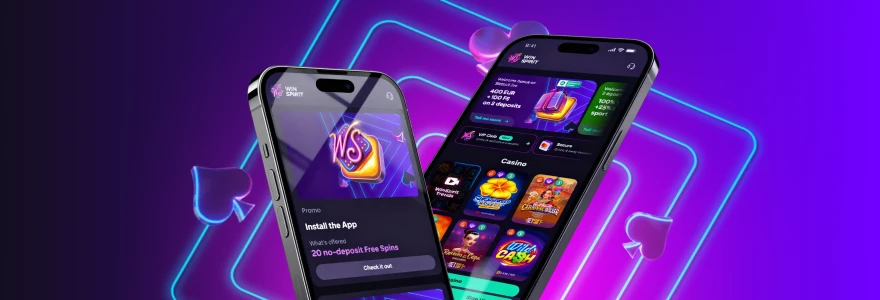
Set up the Win Spirit Casino app and 20 no-deposit free spins are yours — nothing needs to be purchased. Log in, then activate them from the Bonuses tab in your Profile. It’s a one-time award per account.
| Item | Detail |
| Deposit required | No |
| Free spins awarded | 20 |
| How many times claimable | Once per account |
| Bet per spin | AUD 0.10 |
| Wagering requirement | ×40 |
Claiming is a matter of installing the shortcut, logging in and opening your Profile, where the bonus sits in the Bonuses tab ready to switch on. Without an account yet, creating a new WinSpirit Casino profile is a few minutes’ work and comes first. Anything won on the spins carries the ×40 wagering requirement before withdrawal.
Who Is the WinSpirit App For
If you play more than once a week and keep finding your way back to the site each time, the WinSpirit Australia app is aimed at you. That repeated navigation disappears: one tap opens the casino, exactly where you stopped.
Mobile is where it shows most. A phone gains noticeably more room in full-screen layout than in a browser tab, and single-sign-in spares you from tapping out credentials on a cramped keyboard every visit. Desktop regulars benefit too — for anyone who keeps the casino within reach during the day, the WS Casino app pinned to a taskbar or dock beats leaving a browser tab open indefinitely.
Sticking with the browser is entirely reasonable if you drop in rarely or would rather not add shortcuts to your devices. Where the casino is part of a regular routine, though, the Win Spirit app shortcut trims time off every session — and with 20 no-deposit free spins attached to the install, it’s worth doing even as a one-off experiment.
WinSpirit Casino App FAQ
Does the WinSpirit app require a download?
Not at all. The WinSpirit app is installed as a browser shortcut, with no files saved to your device. All that’s added is an icon on the home screen or dock; the games themselves remain on our servers and load whenever the shortcut opens.
Which browser should I use on iPhone?
Safari — it’s the only iPhone browser supporting a home-screen install. The “Add to Home Screen” option doesn’t exist in Chrome on iOS, so open the site in Safari, tap Share and select Add to Home Screen.
Can I use the same account on both mobile and desktop?
Absolutely. Balance, bonus history and VIP progress look the same whether the shortcut opens on a phone, tablet or computer. Mobile has no separate account — one login covers every device.
Is the app available on all Android devices?
Any Android device running Chrome supports the WS Casino app shortcut. Provided Chrome is installed and current, the install option appears in the three-dot menu when you visit our website. On older Android builds without an up-to-date Chrome, the prompt may not appear.
Do I need to update the app manually?
There’s nothing to update by hand. With the content hosted on our servers rather than your device, opening the shortcut always gives you the current version — nothing to approve, nothing to download once the initial install is done.
What happens to the free spins if I close the app before activating them?
They wait for you. The 20 free spins remain in the Bonuses tab of your Profile, and closing the app doesn’t void the offer. Reopen the shortcut, head to your Profile, and activate the bonus whenever it suits you.